Time on page
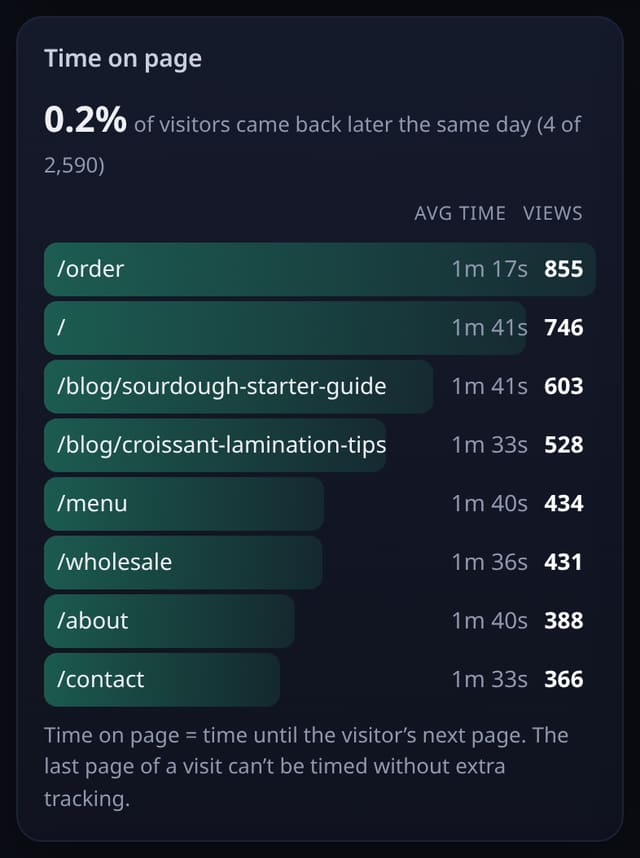
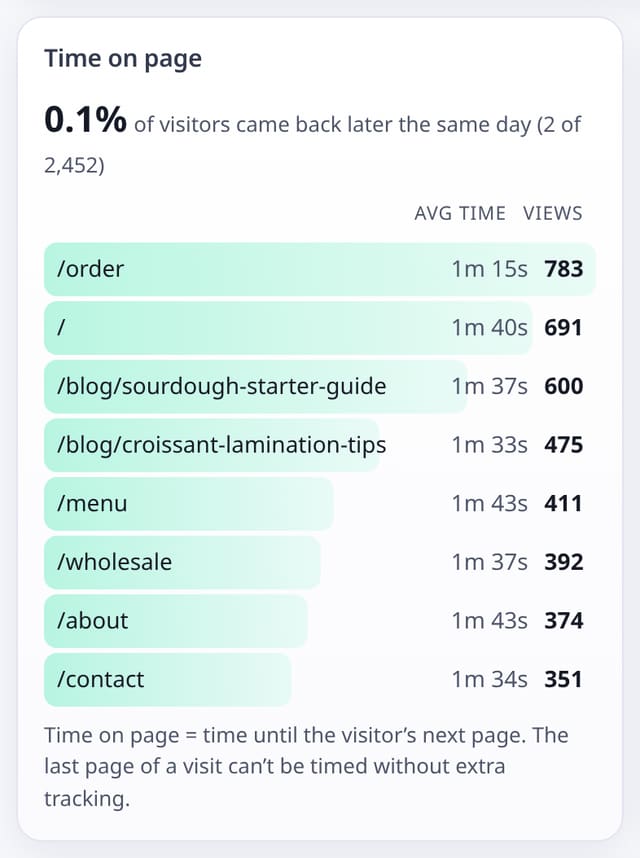
Average time on each page, from the gap to the visitor’s next page. Nothing extra is sent or stored.
What it does
A Time on page card for your 8 busiest pages, worked out from the pageviews you already collect, with how many views could be timed.
Why it matters
Views say a page was opened; time says it was read.
How to use it
- Open Top pages and press ⤢ Expand to see time on each page.
- For time on every page, including the last one in a visit, add data-engage to the events script.
How it works
- Time on a page = the time until the next pageview in the same visit.
- The last page of a visit has no next page, so it isn’t timed this way.
- For reading time on every page, including the last one, turn on engaged time.
Privacy
- Collected: Nothing new
- No cookies, and nothing stored on the visitor’s device.
- Reports show totals only: never a visitor list, IP address or single visit.
Limits
- Rows: 0 extra per pageview
Plans
Every plan, including Free. quietstats is free during launch: the Free plan covers 1 site and 5,000 pageviews a month, and no card is needed. See pricing.
Questions
Why do some pages show no time?
If a page is nearly always the last one in a visit, there is no next pageview to measure against. Engaged time fixes that.