Server-side events API: count what a browser script can’t see
Send pageviews and events from your server or app backend: pages without JavaScript, APIs, feeds and background jobs.
In every plan, including Free. Data in and out.
What it is
POST /api/v1/events with a “Send events” key that belongs to one site. Each request carries one event or up to 20, each with the page address and, for a custom event, its name and a short property. They appear in the same dashboard, goals and funnels as browser hits.
Why it matters
Some things never run a browser script: an API call, an RSS feed, a server-rendered page for visitors who block scripts, an order confirmed in a background job. The API counts them with the same privacy rules as the tracker.
How it works
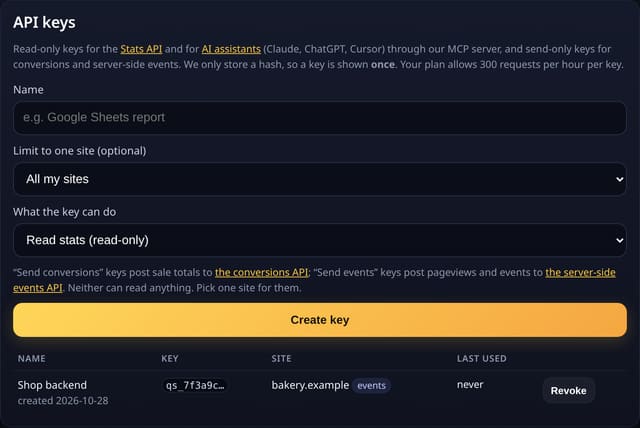
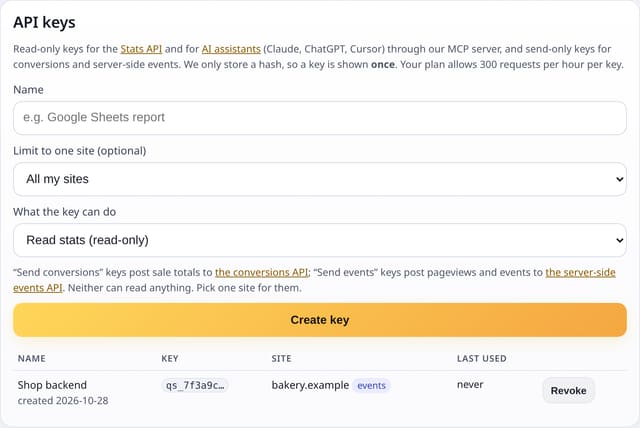
- Create a “Send events” key for one site in Settings → API keys. It can send but can’t read any stats.
- Send url (an address on your site or a path) and, for a custom event, name and prop. Leave name out for a pageview.
- To join the same visit as the browser, pass the visitor’s ip and user_agent: quietstats makes the same daily hash the tracker makes and stores neither. Or pass a visitor_key of your own (hashed with the day’s salt), or nothing to count totals only.
- Bots, Do Not Track and Global Privacy Control (dnt: true), personal data in names or props, and addresses on other domains are dropped. The reply lists what happened to each event.
Set it up
curl -X POST https://quietstats.co.uk/api/v1/events \
  -H "Authorization: Bearer qs_…" -H "Content-Type: application/json" \
  -d '{"url": "/api/orders", "name": "Order placed", "prop": "plan: large"}'
Replace YOUR_SITE_ID with the ID on your site’s settings page. Install guides →
Privacy: what is and isn’t collected
Collected
- Page path and utm_* tags, referrer host, country (if you send it), device, browser and OS (worked out from the user agent, which is not kept)
- Never the IP address, the user agent, query strings or your visitor_key
Never collected
- Cookies, localStorage or anything else stored on the visitor’s device
- IP addresses or user agents (used in memory, then discarded)
- Anything that links a visitor across days (the visitor ID resets daily)
Rows and limits
- Up to 20 events and 32 KB per request; normal API rate limits apply
- Pageviews count towards your plan like browser pageviews
- Without ip + user_agent or a visitor_key, all server hits of a day count as one visitor
- Rows: 1 per counted event, plus 1 usage update per pageview; 0 reads of your stats
“Rows” are database rows written, which is what our hosting is billed on. Reads are not rows written. Methodology →
Questions
Is it the same key as the Stats API?
No. A “Send events” key can only send, and a read key can only read.
Can I backfill old data?
No. Events are counted at the time you send them. Use the import tool for history.
Will my server’s address show up as a visitor?
Only if you pass your server’s own ip and user agent. Pass the visitor’s, or a visitor_key, or nothing.
Related features
Try it on your own site
Free during launch: one site and 5,000 pageviews a month, no card needed. After launch, paid plans start at £5 a month.