Outbound links and file downloads
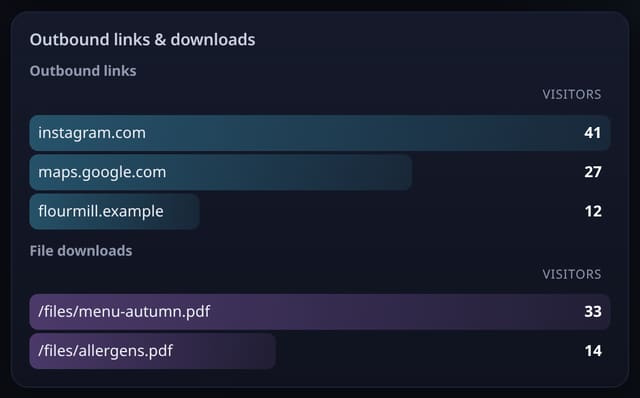
See which links take people off your site and which PDFs and files they download. One attribute switches it on.
What it does
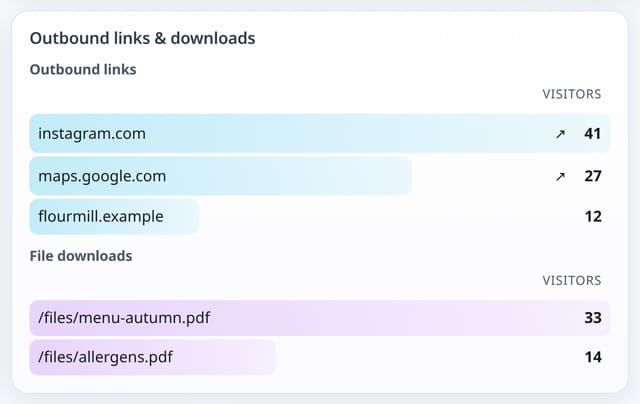
Outbound clicks by destination host, and downloads by file path.
Why it matters
Find out whether people use your affiliate links, partner links and downloadable guides.
How to use it
- Use the events script with data-auto.
- See outbound hosts and downloaded files on the dashboard.
- Make Outbound link or File download a goal.
HTML
<script data-host="https://quietstats.co.uk" data-dnt="true" data-auto src="https://quietstats.co.uk/js/events.js" id="YOUR_SITE_ID" async defer></script>Replace YOUR_SITE_ID with the ID shown on your site’s Manage page.
How it works
- Add data-auto to the events script tag.
- Outbound links are stored by host only (for example github.com).
- Downloads are stored by path only, without query strings.
Privacy
- Collected: Destination host for outbound links
- Collected: File path for downloads
- Not collected: Full outbound URLs or query strings
- No cookies, and nothing stored on the visitor’s device.
- Reports show totals only: never a visitor list, IP address or single visit.
Limits
- Rows: about 2 per click; counts towards your pageviews
Plans
Every plan, including Free. quietstats is free during launch: the Free plan covers 1 site and 5,000 pageviews a month, and no card is needed. See pricing.
Questions
Which files count as downloads?
Links ending in .pdf, .zip, .doc(x), .xls(x), .ppt(x), .csv, .dmg, .exe, .apk, .mp3 or .mp4.