404 pages
Find broken pages and the page that linked to them, from one attribute on your “not found” page.
What it does
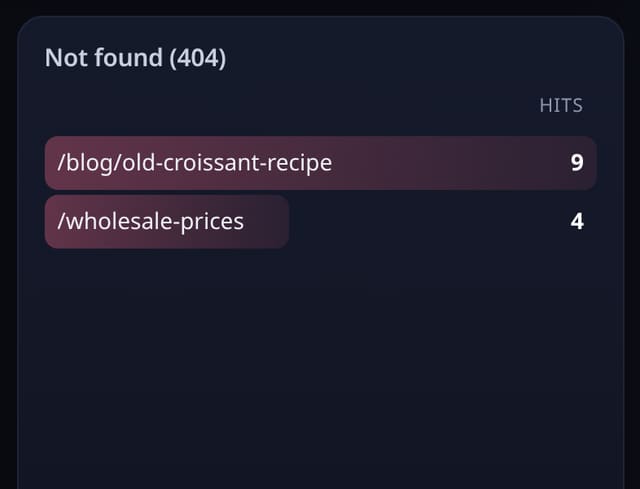
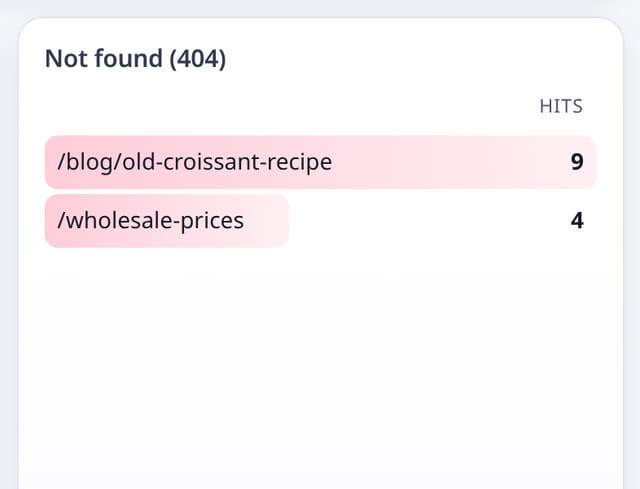
A list of missing paths with how often they were hit and where people came from.
Why it matters
Every broken link is a visitor who wanted something you no longer show them.
How to use it
- Put the events script with data-404 on your not-found page only.
- See missing paths and the pages that linked to them.
- Fix the link or add a redirect.
HTML
<script data-host="https://quietstats.co.uk" data-dnt="true" data-404 src="https://quietstats.co.uk/js/events.js" id="YOUR_SITE_ID" async defer></script>Replace YOUR_SITE_ID with the ID shown on your site’s Manage page.
How it works
- Add data-404 to the events script on your not-found page only.
- The missing path and the referring page (without its query string) are recorded.
- Fix the link or add a redirect.
Privacy
- Collected: Missing path
- Collected: Referring page without query string
- No cookies, and nothing stored on the visitor’s device.
- Reports show totals only: never a visitor list, IP address or single visit.
Limits
- Rows: about 2 per 404; counts towards your pageviews
Plans
Every plan, including Free. quietstats is free during launch: the Free plan covers 1 site and 5,000 pageviews a month, and no card is needed. See pricing.
Questions
Will normal pages be counted as 404s?
No. Only pages whose tag has data-404.