Goal funnel waterfall
See where visitors drop off between your goals, as a waterfall: each bar is a step, and the fall is how many left the path.
In every plan, including Free. Goals, events and conversions.
What it is
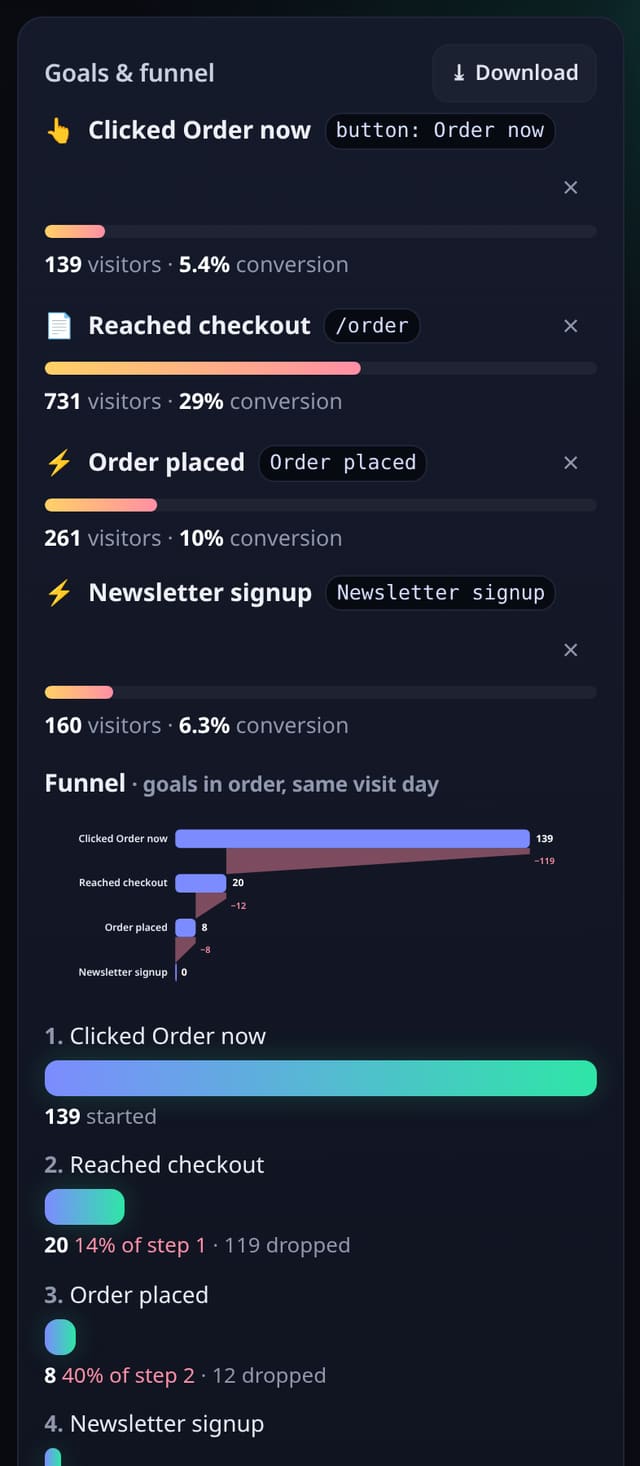
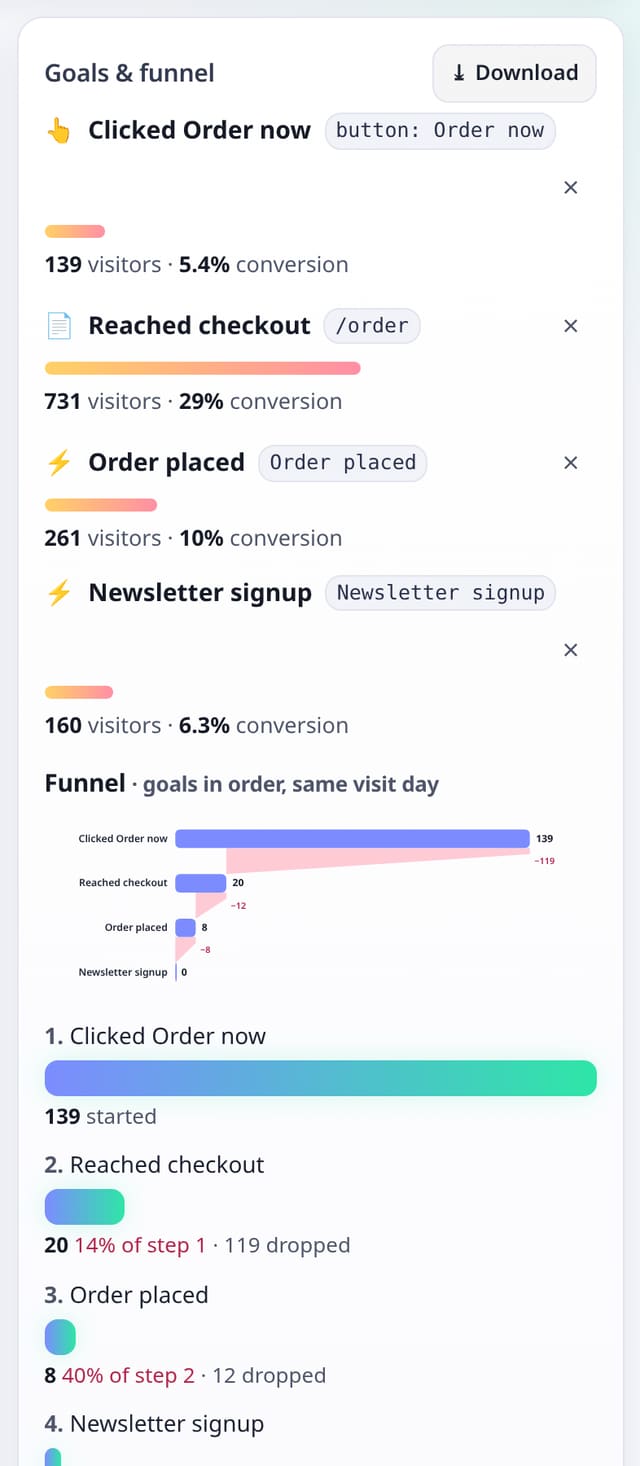
Your Goals card already lists a funnel: unique visitors who reached goal 1, then goal 2 later the same day, and so on. The waterfall is that same funnel as a chart. The existing step list, drop counts and Add goal form are unchanged. The same chart appears on the Goals & drop-off page.
Why it matters
A list of percentages is useful; a waterfall makes the biggest drop obvious at a glance, so you know which step to fix first.
How it works
- Add at least two goals (page, event, click or form) from Add goal on your dashboard.
- Open the Goals & funnel card. The waterfall sits above the familiar step list. Bar width is visitors at that step; the shaded fall is how many dropped before the next goal.
- For a custom path (mix pages and goals, and see where the rest went), open Goals in the site bar. The waterfall is there too, above the drop-off detail.
Privacy: what is and isn’t collected
Collected
- The same totals the funnel already shows: unique visitor-days at each step
Never collected
- Per-person journeys or identities
- Anything typed into a form
- Cookies, localStorage or anything else stored on the visitor’s device
- IP addresses or user agents (used in memory, then discarded)
- Anything that links a visitor across days (the visitor ID resets daily)
Rows and limits
- Uses the goals you already have (up to five steps, in the order you added them)
- 0 extra rows and no new script
- A visitor counts once per day
- Core script.js is unchanged (845 B)
“Rows” are database rows written, which is what our hosting is billed on. Reads are not rows written. Methodology →
Questions
Is this a Sankey diagram?
No. Visitor journeys (first three pages of a visit) stay as a Sankey. This waterfall is for your goal funnel only — a simpler shape that shows drop-off clearly.
Does it change how the funnel is counted?
No. It is the same same-day, in-order count as the list underneath.
Do I need a new script?
No. It reads the pageviews and events you already collect.
Related features
Set it up
Nothing to set up: it works with the standard one-line script.
<script data-host="https://quietstats.co.uk" data-dnt="true" src="https://quietstats.co.uk/js/script.js" id="YOUR_SITE_ID" async defer></script>Try it on your own site
Free during launch: one site and 5,000 pageviews a month, no card needed. After launch, paid plans start at £5 a month.