How to use weekly review checklist: eight checks, ticked off each week
A short checklist for your weekly look at the numbers, with links to each screen and ticks saved week by week.
What it does
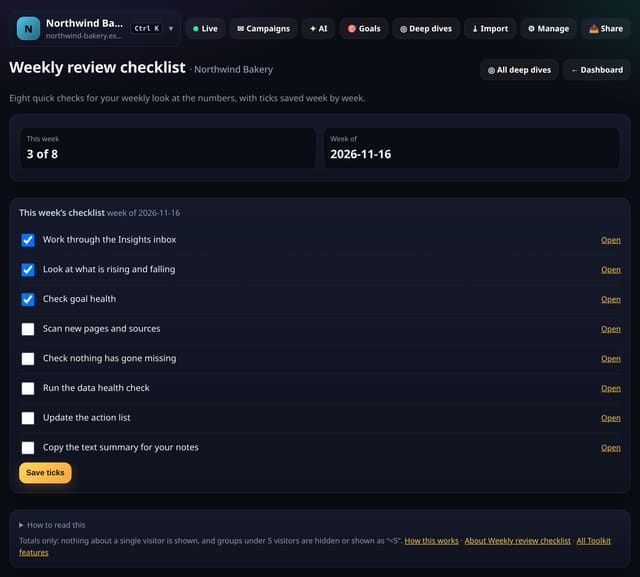
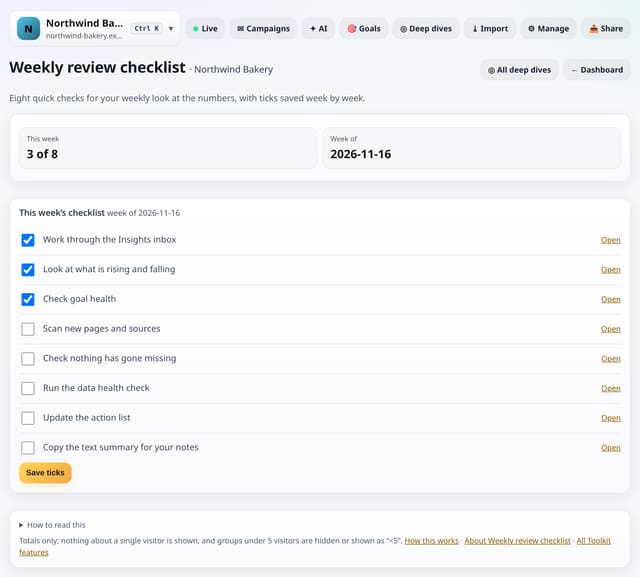
Eight steps: the Insights inbox, rising and falling, goal health, new arrivals, gone missing, data health, the action list and the text summary. Each step links straight to its screen. Tick them as you go; ticks are saved for the week and earlier weeks are listed.
Why it matters
A routine beats inspiration. Ten minutes on the same checks every week catches problems early.
How to use it
- Open Toolkit → Notes and plans → Weekly review checklist, or search “Weekly review checklist” on All reports (or go to /app/kit/weeklyreview?site=YOUR_SITE).
How it works
- Open your dashboard and choose Toolkit in the menu (or the Toolkit button on Deep dives, or search for it on All reports).
- Under Notes and plans, tap Weekly review checklist.
- Use the buttons on the screen; nothing is sent anywhere.
Privacy
- Collected: Nothing new from your visitors. What you save in the Toolkit is kept for your site in your account
- Not collected: Anything about a single visitor
- Not collected: Links between days: visitor ids still reset at midnight
- No cookies, and nothing stored on the visitor’s device.
- Reports show totals only: never a visitor list, IP address or single visit.
Limits
- A week starts on Monday (UTC)
- Ticks older than 400 days are cleared
- Read from the database only when you open it, then kept for 10 minutes
Plans
Every plan, including Free. quietstats is free during launch: the Free plan covers 1 site and 5,000 pageviews a month, and no card is needed. See pricing.
Questions
Where is my list kept?
In your quietstats account, against this site only (the kit_items table). Only people who can open the site see it, and you can remove any entry with one tap.
Will it remind me each week?
No: it is a checklist you open. Nothing is sent.
Related
Feature page: Weekly review checklist: eight checks, ticked off each week → What it is, why it matters, privacy and how other tools do it.