Privacy proof page and badge for your site
Privacy is a reason people trust a site.
Show your visitors, on a public page for your site, that its analytics use no cookies, store no personal data, respect Do Not Track and Global Privacy Control, and add nothing a cookie banner would need to cover.
Why quietstats: you get this without cookies, a consent banner or storing IP addresses, in every plan including Free.
In every plan, including Free. Privacy and performance.
📘 Step-by-step guide, with screenshots and diagrams →
Start free, no cardSee live demo
- No cookies or consent banner
- No IP addresses stored
- Groups under 5 visitors hidden
- 845-byte script
- Free plan, no card
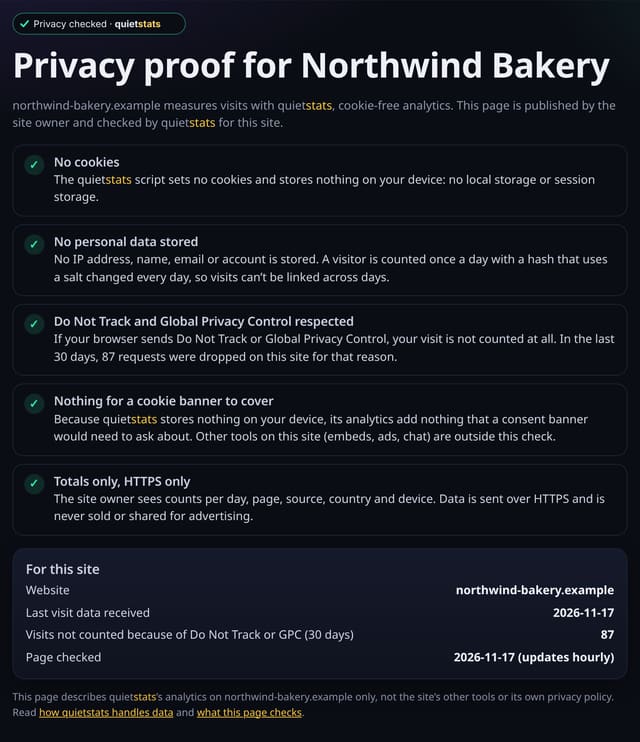
What it is
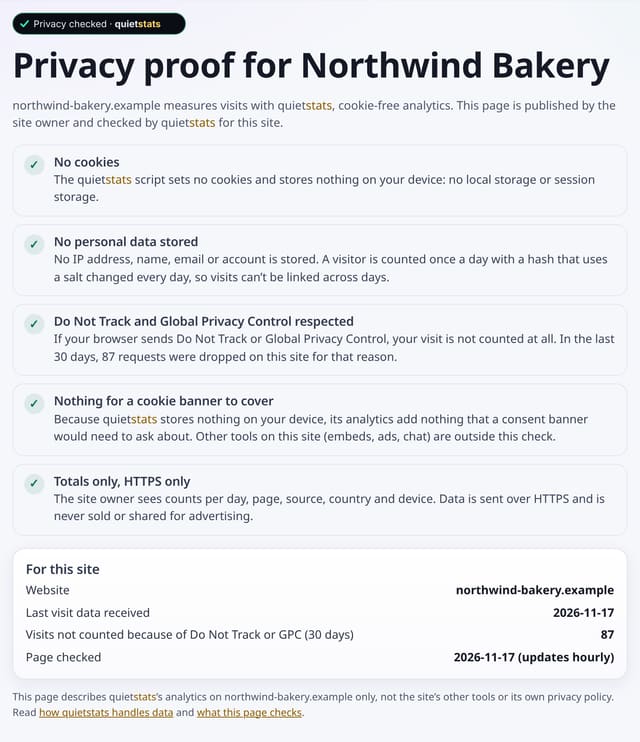
Switch it on from Manage site and your site gets its own public page at /privacy-proof/<id>, plus a “Privacy checked · quietstats” badge that links to it. The page lists each check in plain English and adds live figures for your site: when visit data was last received, and how many requests were dropped in the last 30 days because the visitor’s browser sent Do Not Track or GPC.
Why it matters
Privacy is a reason people trust a site. A page they can check is more convincing than a line in a policy, and the badge puts it one click away.
How it works
- On Manage site, under Privacy proof page and badge, tap Switch the privacy proof page on. It is off for every site until you do.
- Copy the badge snippet into your footer or privacy policy. It links to your page.
- The page updates hourly. Switch it off at any time and the page shows not found again; the badge image falls back to the general No cookies badge so nothing looks broken.
Privacy: what is and isn’t collected
Collected
- Nothing new: it reads your last visit date and your Do Not Track / GPC skip count
Never collected
- Your visitor numbers (the page shows no traffic figures)
- Anything about a single visitor
- Any claim about your site’s other tools, such as embeds, ads or chat
- Cookies, localStorage or anything else stored on the visitor’s device
- IP addresses or user agents (used in memory, then discarded)
- Anything that links a visitor across days (the visitor ID resets daily)
Rows and limits
- Opt-in per site, off by default
- Covers quietstats’ analytics only, not the rest of your site
- Updates hourly
- Not legal advice; whether you need a banner depends on everything else on your site
“Rows” are database rows written, which is what our hosting is billed on. Reads are not rows written. Methodology →
Questions
Does the page show my traffic?
No. It shows only when data was last received and how many requests were dropped for Do Not Track or GPC.
Does this mean my site needs no cookie banner?
It shows quietstats adds nothing a banner would need to cover. Other tools on your site may still need one.
What happens when I switch it off?
The page shows not found at once (within the hour for cached copies), and the badge image becomes the general No cookies badge.
Related features
Reports, sharing and alertsZero cookies, privacy built in
Privacy and performanceDNT and GPC skip totals
Privacy and performanceA Free plan with no time limit, and a promise never to sell data
Privacy and performanceSingle-page app add-on: #/ routes, back/forward restores and prerendering
Privacy and performanceMethodology for every deep-dive report
Privacy and performanceSite folders
See your trafficTime on page
Behaviour and content
All privacy and performance features → · All features → · Docs: Privacy proof page and badge for your site guide → · Compare features with other tools →
Guides on this topic
Set it up
Nothing to set up: it works with the standard one-line script.
<script data-host="https://quietstats.co.uk" data-dnt="true" src="https://quietstats.co.uk/js/script.js" id="YOUR_SITE_ID" async defer></script>Try it on your own site
Free during launch: one site and 5,000 pageviews a month, no card needed. After launch, paid plans start at £5 a month.