Experiment log: what you changed, and what happened next
Without a log, nobody remembers which tweak happened when.
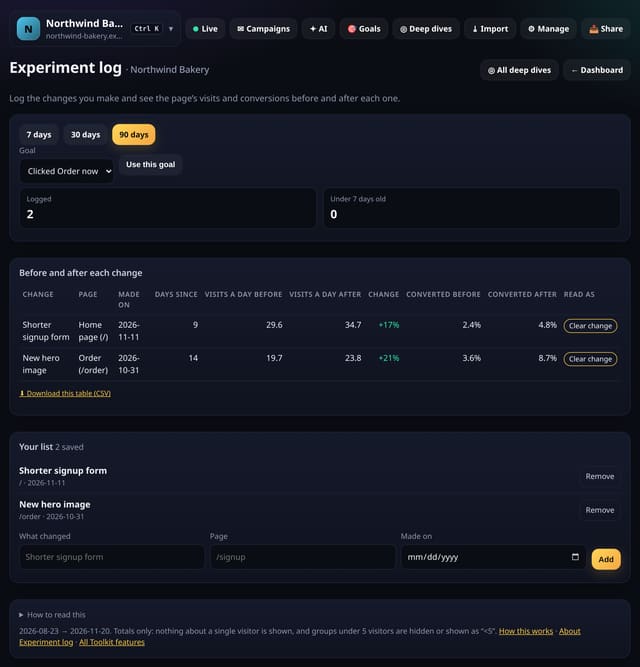
Log each change you make to a page and see visits and conversions for the 14 days before and the days since.
Why quietstats: you get this without cookies, a consent banner or storing IP addresses, in every plan including Free.
In every plan, including Free. Goals, events and conversions.
📘 Step-by-step guide, with screenshots and diagrams →
Start free, no cardSee live demo
- No cookies or consent banner
- No IP addresses stored
- Groups under 5 visitors hidden
- 845-byte script
- Free plan, no card
What it is
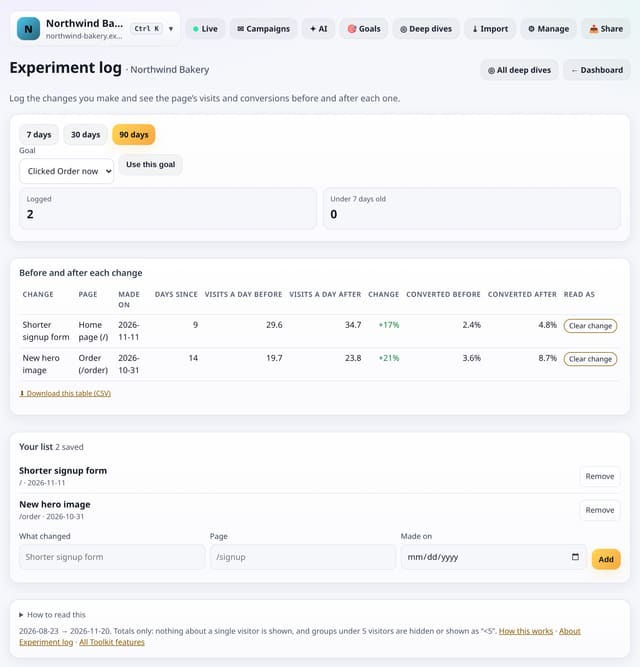
Record a change with its page and date. For each one, quietstats compares visits a day to that page in the 14 days before with the days after (up to 14), and, if you pick a goal, the share of those visits that converted. A label says Too early, Small sample or Clear change.
Why it matters
Without a log, nobody remembers which tweak happened when. With one, you can see whether the new form or headline helped.
How it works
- Open your dashboard and choose Toolkit in the menu (or the Toolkit button on Deep dives, or search for it on All reports).
- Under Notes and plans, tap Experiment log.
- Save what you need with the form on the screen; everything you save can be removed with one tap.
Privacy: what is and isn’t collected
Collected
- Nothing new from your visitors. What you save in the Toolkit is kept for your site in your account
Never collected
- Anything about a single visitor
- Links between days: visitor ids still reset at midnight
- Cookies, localStorage or anything else stored on the visitor’s device
- IP addresses or user agents (used in memory, then discarded)
- Anything that links a visitor across days (the visitor ID resets daily)
Rows and limits
- Uses the last 90 days of visits
- Before-and-after is a hint, not proof: seasons and campaigns move numbers too
- Up to 92 days and 200,000 pageviews per screen
- Read from the database only when you open it, then kept for 10 minutes
“Rows” are database rows written, which is what our hosting is billed on. Reads are not rows written. Methodology →
Questions
Where is my list kept?
In your quietstats account, against this site only (the kit_items table). Only people who can open the site see it, and you can remove any entry with one tap.
Does it collect anything new?
No. It works from the pageviews, events and goals you already have, read when you open the screen and kept as totals for 10 minutes. Groups under 5 visitors are never shown exactly.
Related features
Reports, sharing and alertsPage versions: one page before and after a change
Behaviour and contentChart note impact: before and after every note
Reports, sharing and alertsGoal pattern tester: try a goal before you save it
Goals, events and conversionsCustom metrics: build your own ratios from numbers you have
Goals, events and conversionsGoal values: put a £ value on each goal
Goals, events and conversionsPage targets: monthly visitor goals for single pages
Goals, events and conversionsCopy goals to another site: set up a new site in one go
Goals, events and conversions
All goals, events and conversions features → · All features → · Docs: Experiment log guide → · Compare features with other tools →
Guides on this topic
Set it up
Nothing to set up: it works with the standard one-line script.
<script data-host="https://quietstats.co.uk" data-dnt="true" src="https://quietstats.co.uk/js/script.js" id="YOUR_SITE_ID" async defer></script>Try it on your own site
Free during launch: one site and 5,000 pageviews a month, no card needed. After launch, paid plans start at £5 a month.