Spike recovery: how long each surge took to settle
Some spikes vanish overnight; others leave a lasting lift.
Every traffic spike in your stored history, how big it was, how many days traffic took to settle and whether it left you with more traffic.
Why quietstats: you get this without cookies, a consent banner or storing IP addresses, in every plan including Free.
In every plan, including Free. See your traffic.
📘 Step-by-step guide, with screenshots and diagrams →
Start free, no cardSee live demo
- No cookies or consent banner
- No IP addresses stored
- Groups under 5 visitors hidden
- 845-byte script
- Free plan, no card
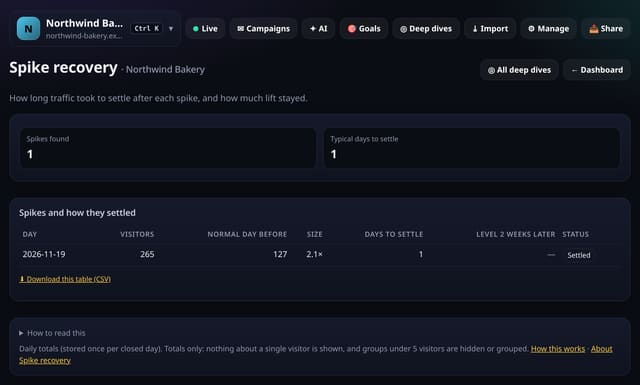
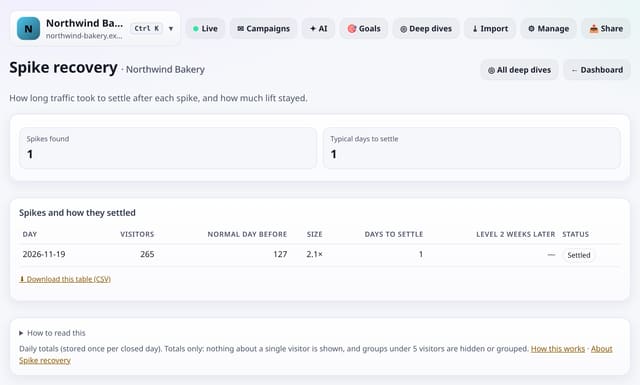
What it is
quietstats reads your stored daily totals and marks a spike when a day has at least twice the median of the 28 days before it, and 10 or more extra visitors. It then counts the days until traffic is back within 10% of that normal level, and compares the average of the next two weeks with that normal level.
Why it matters
Some spikes vanish overnight; others leave a lasting lift. Knowing which kind of mention or launch keeps paying off tells you what to repeat.
How it works
- Open your dashboard, go to Deep dives (or Reports on a phone) and open Analysis lab.
- Under Traffic over time, tap Spike recovery. You can also search for it on the All reports screen.
- Read the “How to read this” notes, and download any table as CSV.
Privacy: what is and isn’t collected
Collected
- Nothing new: it reads the pageviews, events, goals or daily totals you already have
Never collected
- Anything about a single visitor
- Links between days: visitor ids still reset at midnight
- Cookies, localStorage or anything else stored on the visitor’s device
- IP addresses or user agents (used in memory, then discarded)
- Anything that links a visitor across days (the visitor ID resets daily)
Rows and limits
- Needs at least 6 weeks of daily totals
- Uses up to 400 days of stored daily totals
- Read from the database only when you open it, then kept for 10 minutes
“Rows” are database rows written, which is what our hosting is billed on. Reads are not rows written. Methodology →
Questions
What does “Level 2 weeks later” show?
The average of the two weeks after traffic settled, against the normal level before the spike. Positive means the spike left you with more traffic.
Does it store anything new?
No. It reads the daily totals quietstats already keeps for your site when you open the screen, and the result is kept for 10 minutes.
Related features
See your trafficRecord days: your best days, weeks and months
See your trafficWhy did this change?
See your trafficMinute-of-hour pattern: do visits bunch on the hour?
See your trafficWeekly rhythm strength: how much your week repeats
See your trafficTrend significance: is your traffic really growing?
See your trafficAudience spread: how concentrated your audience is
See your trafficSame week last year: seasonality taken out
See your traffic
All see your traffic features → · All features → · Docs: Spike recovery guide → · Compare features with other tools →
Guides on this topic
Set it up
Nothing to set up: it works with the standard one-line script.
<script data-host="https://quietstats.co.uk" data-dnt="true" src="https://quietstats.co.uk/js/script.js" id="YOUR_SITE_ID" async defer></script>Try it on your own site
Free during launch: one site and 5,000 pageviews a month, no card needed. After launch, paid plans start at £5 a month.