How to use hash routes, back/forward and prerendering (spa.js)
An optional add-on for apps that use hash routes (#/settings), and for any site where people use Back and Forward a lot. The core script stays exactly as it is.
What it does
spa.js sits next to script.js or events.js, or goes into a one-file bundle. With data-hash on the tag, each #/ route counts as its own page (stored as /app#/settings, without the route’s query part); plain #section anchors are ignored, and the first route on load is attached to the core script’s pageview rather than counted twice. Pages restored from the browser’s back/forward cache are counted, which the core script cannot see. The add-on’s own pageviews wait until a prerendered page is actually shown.
Why it matters
Hash-routed apps otherwise look like one page, and back/forward-cache restores are silently missed. Fixing both in an add-on keeps the standard script small and unchanged for everyone else.
How to use it
- Keep your normal quietstats tag as it is.
- Add the spa.js tag after it. Add data-hash if your app uses #/ routes.
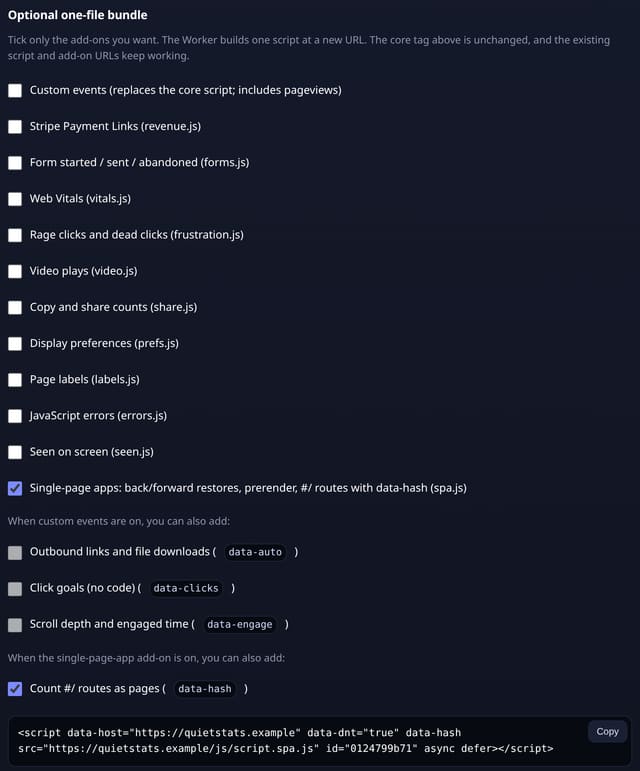
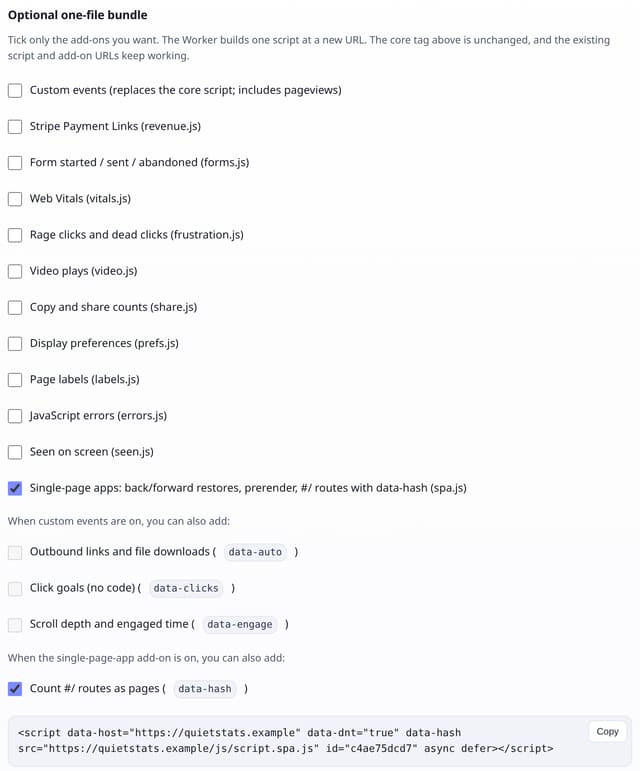
- Or tick Single-page apps (and Count #/ routes as pages) in Manage site → One-file bundle and replace your tag with the one it gives you.
- Open the dashboard: routes show as /path#/route in Top pages.
How it works
- Add the add-on tag after your quietstats tag, with data-hash if your app uses #/ routes.
- Or open Manage site → One-file bundle, tick Single-page apps and Count #/ routes as pages, and use the one tag it gives you.
- Routes appear in Top pages as /path#/route.
Privacy
- Collected: The #/ route as part of the page path (no query part)
- Collected: Nothing else new: the same pageview as the core script
- Not collected: Cookies or anything stored in the browser
- Not collected: Plain #section anchors
- Not collected: The query part of a route, such as ?token=…
- No cookies, and nothing stored on the visitor’s device.
- Reports show totals only: never a visitor list, IP address or single visit.
Limits
- The core script still counts its first pageview when a page is prerendered; only the add-on’s own pageviews wait for the page to be shown
- Scroll and engaged time (data-engage) still attach to the page without its #/ route
- spa.js is about 1.3 KB; script.js is unchanged at 845 bytes
- D1: 1 row per counted route as for any pageview; the first-route fix-up updates the existing row (no new row)
Plans
Every plan, including Free. quietstats is free during launch: the Free plan covers 1 site and 5,000 pageviews a month, and no card is needed. See pricing.
Questions
Do I need this for React, Next.js or Vue?
Only if your router uses #/ URLs or you want back/forward-cache restores counted. pushState routers are already counted by the core script.
Will routes be counted twice?
No. The first route on load updates the core script’s pageview, and later route changes are counted once each.
Does it work with custom events?
Yes. Put it next to events.js, or tick both in the one-file bundle.
Set it up
Show the install snippet
<script data-host="https://quietstats.co.uk" data-site="YOUR_SITE_ID" data-dnt="true" data-hash src="https://quietstats.co.uk/js/spa.js" async defer></script>Replace YOUR_SITE_ID with the ID shown on your site’s Manage page.
Related
Feature page: Single-page app add-on: #/ routes, back/forward restores and prerendering → What it is, why it matters, privacy and how other tools do it.