How to use metrics handbook
A plain-English handbook to every number on your dashboard: what it tells you, how it is counted, how to read it well and when not to trust it.
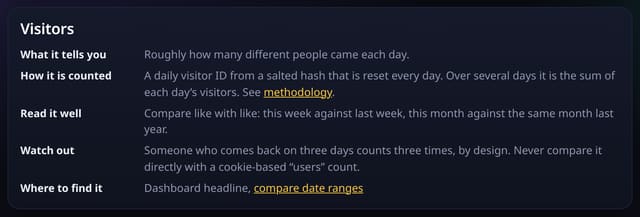
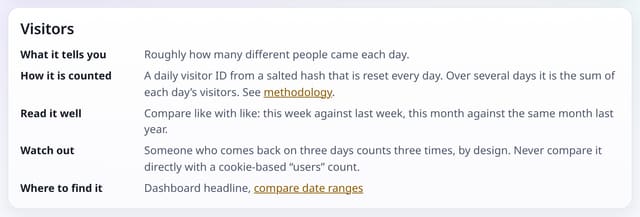
What it does
The metrics handbook at /handbook covers 18 metrics, from pageviews and visitors to AI referrals, goals, revenue, Core Web Vitals and A/B test results. Each one has the same five parts: what it tells you, how it is counted (linked to the exact rule on the methodology page), how to read it well, what to watch out for, and where to find it in quietstats.
Why it matters
Analytics numbers are only useful if you know what they mean. Cookie-free counting works differently from Google Analytics, so the handbook says plainly where the numbers differ and why.
How to use it
- Open /handbook from the Learn section of the sitemap or the methodology page.
- Pick a metric from the list at the top of the page.
- Read “Read it well” and “Watch out” before acting on a change in that number.
- Use “Where to find it” to jump to the report.
How it works
- Open /handbook, or follow the link from the methodology page.
- Jump to a metric from the list at the top; every metric has its own link you can share.
- Follow “Where to find it” to the matching feature.
Privacy
- Collected: Nothing: it is a public page with no tracking beyond the site’s own cookie-free tag
- Not collected: Anything about who reads it
- No cookies, and nothing stored on the visitor’s device.
- Reports show totals only: never a visitor list, IP address or single visit.
Limits
- General guidance, not advice for your particular site
- The methodology page stays the single source for exact formulas
Plans
Every plan, including Free. quietstats is free during launch: the Free plan covers 1 site and 5,000 pageviews a month, and no card is needed. See pricing.
Questions
Is the handbook different from the methodology page?
Yes. The methodology gives the exact counting rules; the handbook explains how to use each number and when not to trust it.
Can I link to one metric?
Yes. Every metric has its own anchor, for example /handbook#bounce-rate.
Related
Feature page: Metrics handbook → What it is, why it matters, privacy and how other tools do it.