How to use TSV and XML export for every report
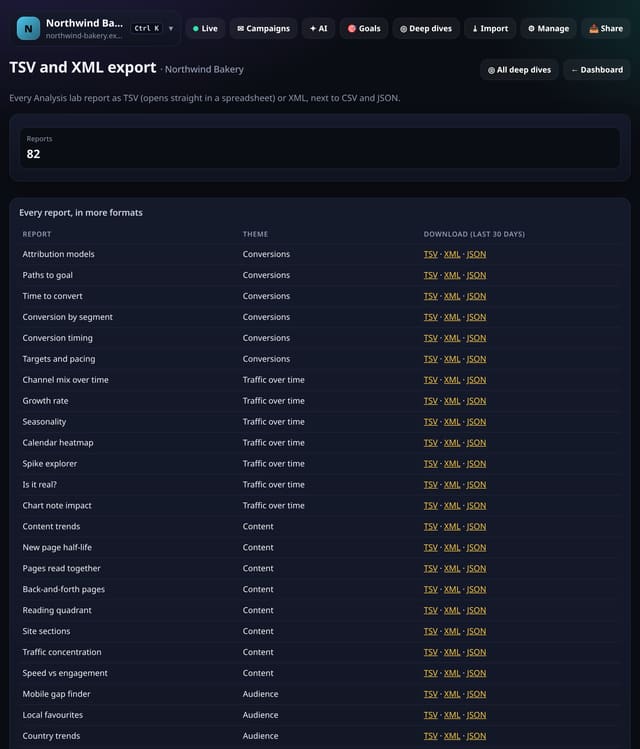
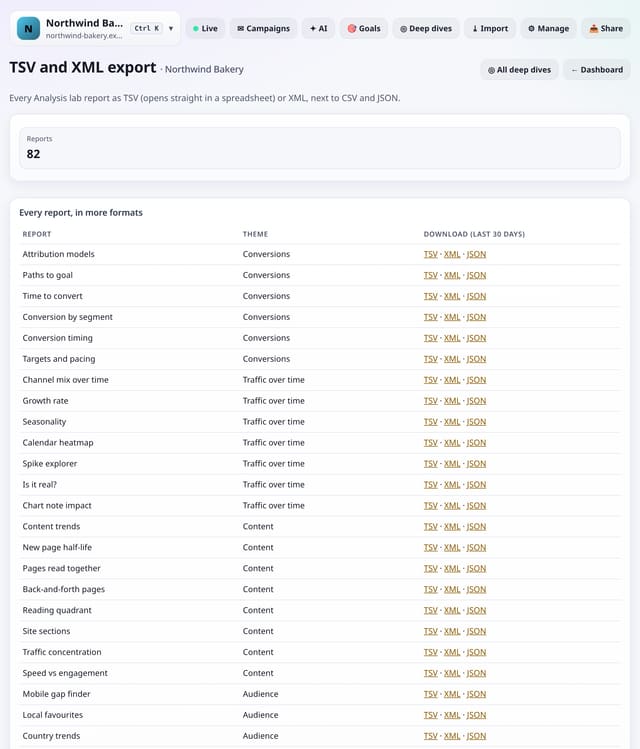
Download any Analysis lab report as TSV (opens straight in a spreadsheet) or XML, next to CSV and JSON.
What it does
Every Analysis lab report has CSV and JSON downloads. TSV and XML are added alongside them with the same tables and the same rules: small numbers stay as “<5”, and nothing about single visitors is included.
Why it matters
Some tools want tabs, some want XML. Exporting in the format they expect saves a clean-up step every time.
How to use it
- Open Toolkit → Links, pixels and sharing → TSV and XML export, or search “TSV and XML export” on All reports (or go to /app/kit/tsvxml?site=YOUR_SITE).
- Add &fmt=tsv or &fmt=xml to any Analysis lab report address, or use the links on this screen.
How it works
- Open your dashboard and choose Toolkit in the menu (or the Toolkit button on Deep dives, or search for it on All reports).
- Under Links, pixels and sharing, tap TSV and XML export.
- Use the buttons on the screen; nothing is sent anywhere.
Privacy
- Collected: Nothing new from your visitors
- Not collected: Anything about a single visitor
- Not collected: Links between days: visitor ids still reset at midnight
- No cookies, and nothing stored on the visitor’s device.
- Reports show totals only: never a visitor list, IP address or single visit.
Limits
- Read from the database only when you open it, then kept for 10 minutes
Plans
Every plan, including Free. quietstats is free during launch: the Free plan covers 1 site and 5,000 pageviews a month, and no card is needed. See pricing.
Questions
Who else has this?
Matomo exports in TSV and XML. quietstats does it without cookies, IP addresses or following anyone over time: only counts from visits on the day.
Does it collect anything new?
No. It works from the pageviews, events and goals you already have, read when you open the screen and kept as totals for 10 minutes. Groups under 5 visitors are never shown exactly.
Related
Feature page: TSV and XML export for every report → What it is, why it matters, privacy and how other tools do it.