Screens to test: the fewest widths that cover 90% of visits
Testing every device is impossible; testing the widths your visitors actually use is quick.
The short list of screen widths to check your pages at, covering 90% of real visits, with the bounce rate at each.
Why quietstats: you get this without cookies, a consent banner or storing IP addresses, in every plan including Free.
In every plan, including Free. See your traffic.
📘 Step-by-step guide, with screenshots and diagrams →
Start free, no cardSee live demo
- No cookies or consent banner
- No IP addresses stored
- Groups under 5 visitors hidden
- 845-byte script
- Free plan, no card
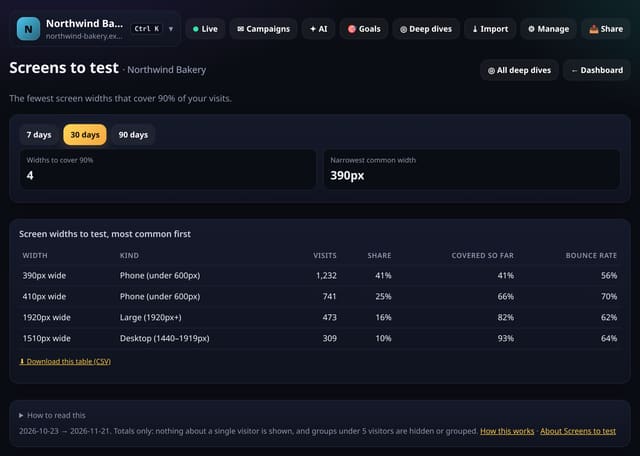
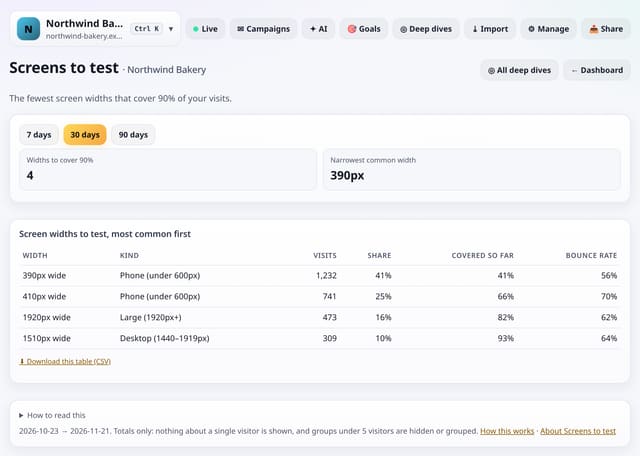
What it is
quietstats rounds each visit’s screen width to the nearest 10px, sorts widths by visits and adds them up until 90% of visits are covered, showing the kind of device and the bounce rate for each.
Why it matters
Testing every device is impossible; testing the widths your visitors actually use is quick. A high bounce rate at one width often points to a layout bug there.
How it works
- Open your dashboard, go to Deep dives (or Reports on a phone) and open Analysis lab.
- Under Audience, tap Screens to test. You can also search for it on the All reports screen.
- Pick a date range (and any options at the top), read the “How to read this” notes, and download any table as CSV.
Privacy: what is and isn’t collected
Collected
- Nothing new: it reads the pageviews, events, goals or daily totals you already have
Never collected
- Anything about a single visitor
- Links between days: visitor ids still reset at midnight
- Cookies, localStorage or anything else stored on the visitor’s device
- IP addresses or user agents (used in memory, then discarded)
- Anything that links a visitor across days (the visitor ID resets daily)
Rows and limits
- Widths with fewer than 5 visits are not listed
- Up to 92 days and 200,000 pageviews per screen
- Read from the database only when you open it, then kept for 10 minutes
“Rows” are database rows written, which is what our hosting is billed on. Reads are not rows written. Methodology →
Questions
How do I test a width?
Your browser’s device toolbar (in developer tools) lets you set any width.
Does it store anything new?
No. It is worked out from the pageviews and events you already have when you open the screen, and only the totals are kept for 10 minutes.
Related features
See your trafficScreen size trend: how your audience’s screens are changing
See your trafficScroll by screen size: do phones see your content?
Behaviour and contentBrowsers to test: the combinations that cover 95% of visits
See your trafficOffice-hours coverage: how many visits arrive when you are away
See your trafficLanguage to translate first: where a translation would pay off
See your trafficReach per million people: where you punch above your weight
See your trafficTest planner: how long should an A/B test run?
Goals, events and conversions
All see your traffic features → · All features → · Docs: Screens to test guide → · Compare features with other tools →
Guides on this topic
Set it up
Nothing to set up: it works with the standard one-line script.
<script data-host="https://quietstats.co.uk" data-dnt="true" src="https://quietstats.co.uk/js/script.js" id="YOUR_SITE_ID" async defer></script>Try it on your own site
Free during launch: one site and 5,000 pageviews a month, no card needed. After launch, paid plans start at £5 a month.