How to use analytics playbooks
Step-by-step plans for local businesses, online shops, blogs, SaaS, charities and agencies: what to set up once, what to check each week and what good looks like.
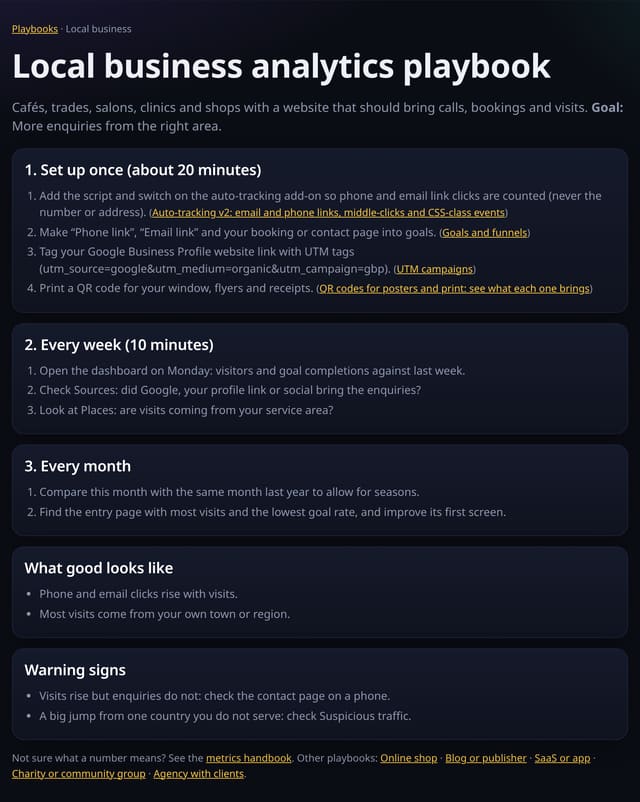
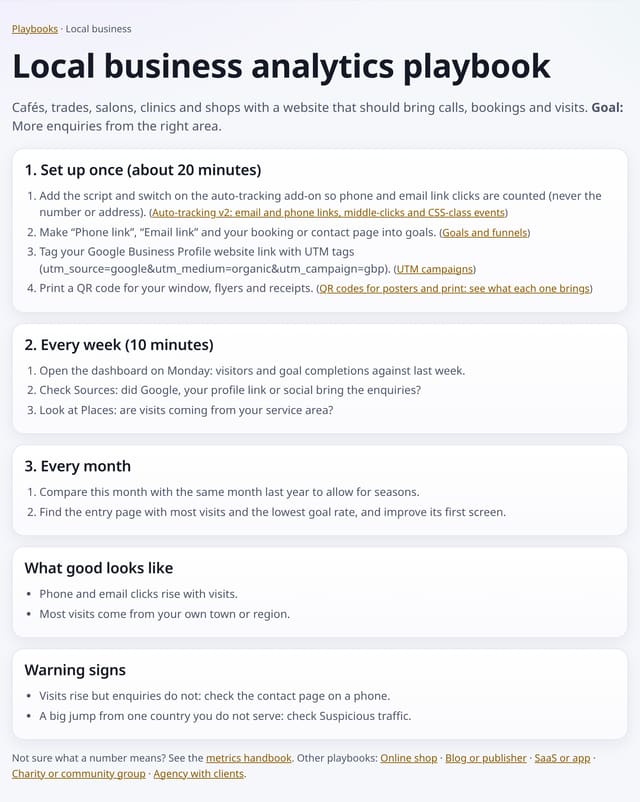
What it does
Six playbooks at /playbooks, one for each common kind of website. Each has the same shape: set up once (about 20 minutes, with links to the exact features), a 10-minute weekly check, a monthly review, what good looks like and the warning signs to act on.
Why it matters
Most people open analytics, look at a chart and close it again. A short routine tied to an outcome is what turns numbers into decisions.
How to use it
- Open /playbooks and choose the closest playbook.
- Work through “Set up once”; each step links to its feature.
- Do the weekly check every Monday and the monthly review on the first of the month.
- Act on the warning signs listed at the bottom.
How it works
- Open /playbooks and pick the one closest to your site.
- Do the one-off setup steps; each links to the feature it uses.
- Put the weekly check in your diary for Monday morning.
Privacy
- Collected: Nothing: they are public pages with no tracking beyond the site’s own cookie-free tag
- Not collected: Anything about who reads them
- No cookies, and nothing stored on the visitor’s device.
- Reports show totals only: never a visitor list, IP address or single visit.
Limits
- General guidance; adapt the goals to your own business
- Some steps use optional add-ons or integrations
Plans
Every plan, including Free. quietstats is free during launch: the Free plan covers 1 site and 5,000 pageviews a month, and no card is needed. See pricing.
Questions
Which playbook should I use?
The one closest to what your site is for. If it does two jobs, such as a shop with a blog, use both.
Do the playbooks cost anything?
No. Every step uses features available on every plan.
Related
Feature page: Analytics playbooks → What it is, why it matters, privacy and how other tools do it.