Metrics handbook
Analytics numbers are only useful if you know what they mean.
A plain-English handbook to every number on your dashboard: what it tells you, how it is counted, how to read it well and when not to trust it.
Why quietstats: you get this without cookies, a consent banner or storing IP addresses, in every plan including Free.
In every plan, including Free. See your traffic.
📘 Step-by-step guide, with screenshots and diagrams →
Start free, no cardSee live demo
- No cookies or consent banner
- No IP addresses stored
- Groups under 5 visitors hidden
- 845-byte script
- Free plan, no card
What it is
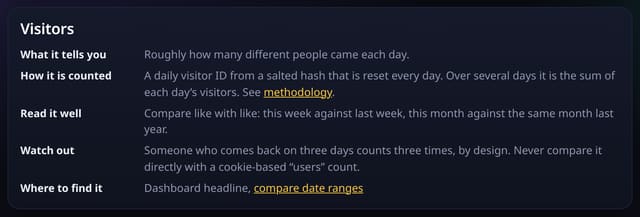
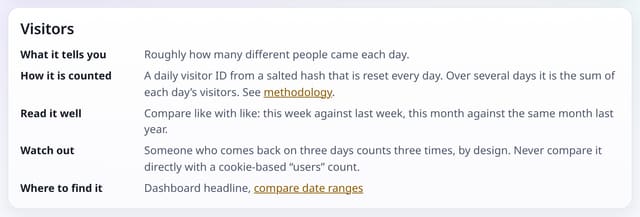
The metrics handbook at /handbook covers 18 metrics, from pageviews and visitors to AI referrals, goals, revenue, Core Web Vitals and A/B test results. Each one has the same five parts: what it tells you, how it is counted (linked to the exact rule on the methodology page), how to read it well, what to watch out for, and where to find it in quietstats.
Why it matters
Analytics numbers are only useful if you know what they mean. Cookie-free counting works differently from Google Analytics, so the handbook says plainly where the numbers differ and why.
How it works
- Open /handbook, or follow the link from the methodology page.
- Jump to a metric from the list at the top; every metric has its own link you can share.
- Follow “Where to find it” to the matching feature.
Privacy: what is and isn’t collected
Collected
- Nothing: it is a public page with no tracking beyond the site’s own cookie-free tag
Never collected
- Anything about who reads it
- Cookies, localStorage or anything else stored on the visitor’s device
- IP addresses or user agents (used in memory, then discarded)
- Anything that links a visitor across days (the visitor ID resets daily)
Rows and limits
- General guidance, not advice for your particular site
- The methodology page stays the single source for exact formulas
“Rows” are database rows written, which is what our hosting is billed on. Reads are not rows written. Methodology →
Questions
Is the handbook different from the methodology page?
Yes. The methodology gives the exact counting rules; the handbook explains how to use each number and when not to trust it.
Can I link to one metric?
Yes. Every metric has its own anchor, for example /handbook#bounce-rate.
Related features
See your trafficSources and channels
Sources and campaignsGoals and funnels
Goals, events and conversionsGlossary and dashboard tooltips
See your trafficPlaces: regions and optional city totals, with small places hidden
See your trafficGrowth rate: moving averages and month-by-month growth
See your trafficCompare two segments side by side
See your trafficCustom metrics: build your own ratios from numbers you have
Goals, events and conversions
All see your traffic features → · All features → · Docs: Metrics handbook guide → · Compare features with other tools →
Guides on this topic
Set it up
Nothing to set up: it works with the standard one-line script.
<script data-host="https://quietstats.co.uk" data-dnt="true" src="https://quietstats.co.uk/js/script.js" id="YOUR_SITE_ID" async defer></script>Try it on your own site
Free during launch: one site and 5,000 pageviews a month, no card needed. After launch, paid plans start at £5 a month.