How to use report templates: ready-made sets for a role
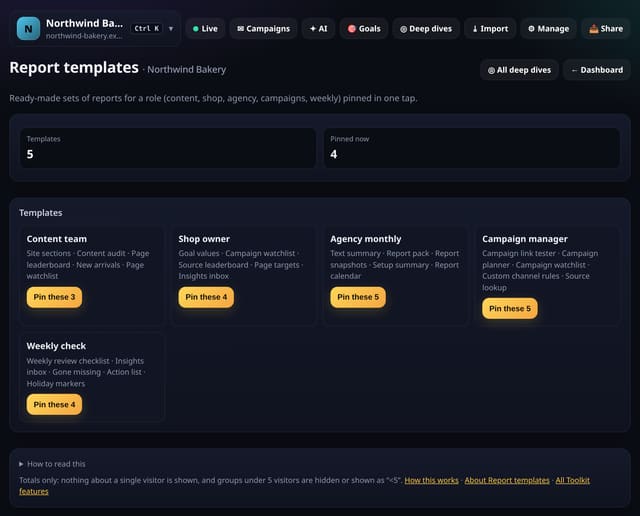
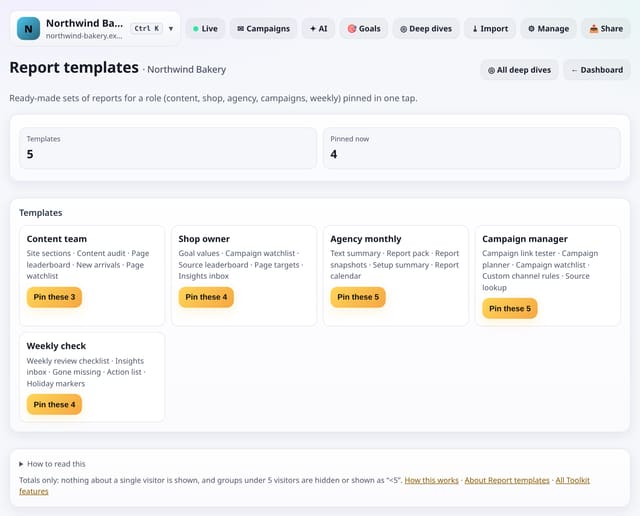
Pin a ready-made set of reports for a role: content team, shop owner, agency monthly, campaign manager or weekly check.
What it does
Each template is five reports that go together. One tap pins the ones you do not already have; nothing is removed.
Why it matters
Knowing where to start is the hardest part with a lot of reports. Templates are a sensible first set.
How to use it
- Open Toolkit → Your view → Report templates, or search “Report templates” on All reports (or go to /app/kit/templates?site=YOUR_SITE).
How it works
- Open your dashboard and choose Toolkit in the menu (or the Toolkit button on Deep dives, or search for it on All reports).
- Under Your view, tap Report templates.
- Use the buttons on the screen; nothing is sent anywhere.
Privacy
- Collected: Nothing new from your visitors. What you save in the Toolkit is kept for your site in your account
- Not collected: Anything about a single visitor
- Not collected: Links between days: visitor ids still reset at midnight
- No cookies, and nothing stored on the visitor’s device.
- Reports show totals only: never a visitor list, IP address or single visit.
Limits
- Five templates
- Only adds pins; never removes any
- Read from the database only when you open it, then kept for 10 minutes
Plans
Every plan, including Free. quietstats is free during launch: the Free plan covers 1 site and 5,000 pageviews a month, and no card is needed. See pricing.
Questions
Where is it kept?
In your quietstats account, against this site only (the kit_items table). Only people who can open the site see it, and you can remove any entry with one tap.
Does it collect anything new?
No. It works from the pageviews, events and goals you already have, read when you open the screen and kept as totals for 10 minutes. Groups under 5 visitors are never shown exactly.
Related
Feature page: Report templates: ready-made sets for a role → What it is, why it matters, privacy and how other tools do it.