How to use UTM tidy-up: find broken campaign tags
Finds campaign tags written several ways, campaigns missing a source or medium, unusual mediums, messy values and tags on links inside your own site, with a fix for each.
What it does
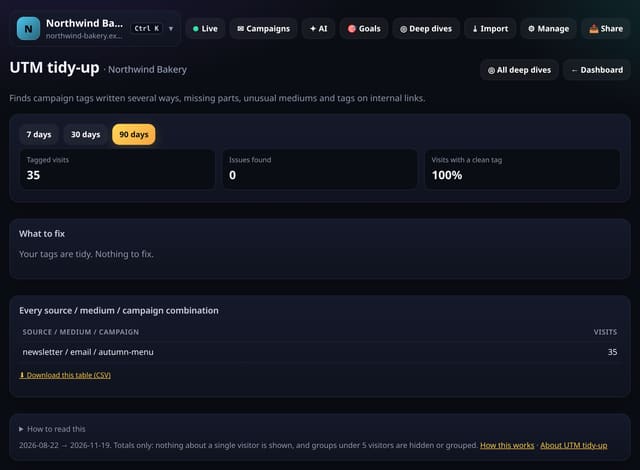
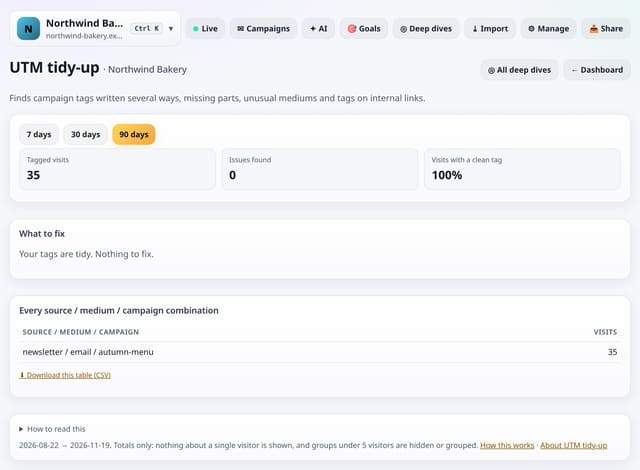
quietstats checks the utm_source, utm_medium and utm_campaign on the first page of each visit (and later pages for internal tags) and lists issues by the number of visits affected: the same value written different ways (Newsletter, newsletter, news-letter), campaigns without a source or medium, mediums outside the usual set, values with capitals, spaces or over 60 characters, and tags on internal links. It also lists every source / medium / campaign combination and the share of visits with a clean tag.
Why it matters
Messy tags split one campaign into several rows and send visits to the wrong channel. Fixing them makes every campaign report trustworthy.
How to use it
- Open Deep dives → Analysis lab → UTM tidy-up (or go to /app/lab/utmcheck?site=YOUR_SITE).
- Choose 7, 30 or 90 days; long-range trends read best at 90.
- Download any table with its CSV link; small numbers show as “<5” there too.
How it works
- Open your dashboard, go to Deep dives and scroll to Analysis lab.
- Under Sources and campaigns, tap UTM tidy-up.
- Pick 7, 30 or 90 days (and any options at the top), read the “How to read this” notes, and download any table as CSV.
Privacy
- Collected: Nothing new: it reads the pageviews (and goals, events or speed checks) you already have
- Not collected: Anything about a single visitor
- Not collected: Links between days: visitor ids still reset at midnight
- No cookies, and nothing stored on the visitor’s device.
- Reports show totals only: never a visitor list, IP address or single visit.
Limits
- It reports issues; it never changes your data or links
- Up to 92 days and 200,000 pageviews per screen
- Read from the database only when you open it, then kept for 10 minutes
Plans
Every plan, including Free. quietstats is free during launch: the Free plan covers 1 site and 5,000 pageviews a month, and no card is needed. See pricing.
Questions
Will fixing tags change old data?
No. Past visits keep the tags they arrived with. New links with tidy tags show up correctly from then on.
What are the usual mediums?
email, newsletter, social, cpc, paid, referral, display, affiliate, video, sms and a few more listed in the docs.
Related
Feature page: UTM tidy-up: find broken campaign tags → What it is, why it matters, privacy and how other tools do it.