Today view for your iPhone home screen
Most checks are a five-second glance at today.
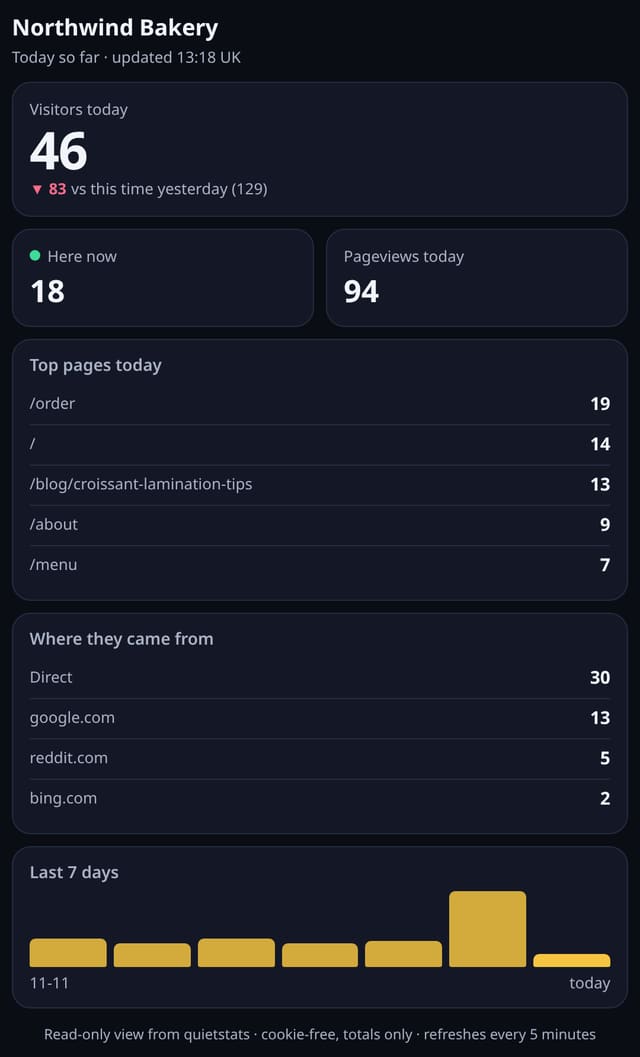
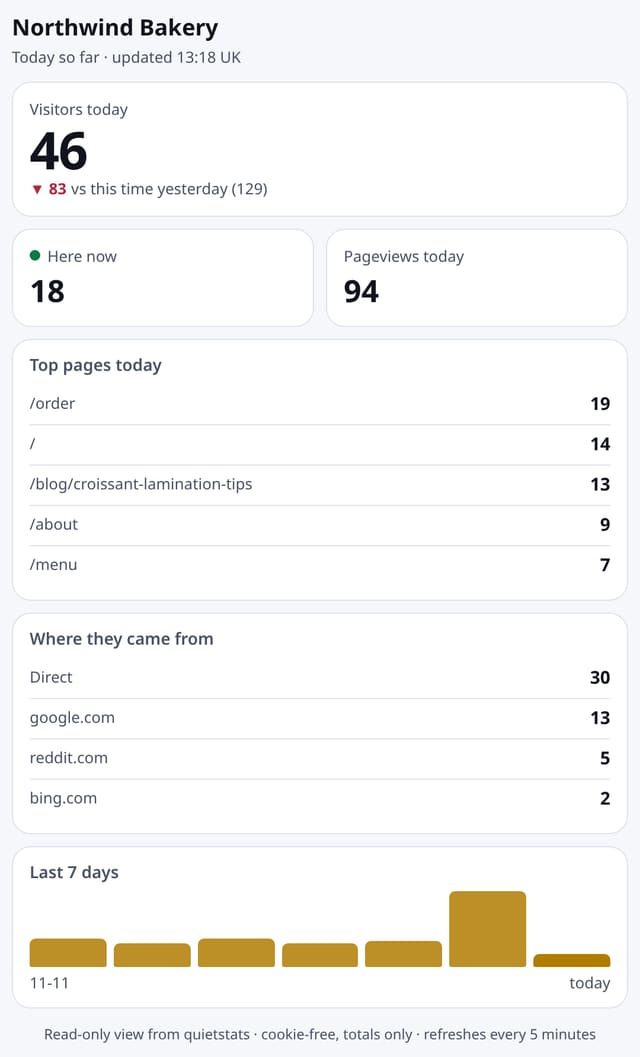
A compact, app-style page with today’s visitors, people here now, top pages and sources. Add it to your iPhone home screen and check your site in one tap.
Why quietstats: you get this without cookies, a consent banner or storing IP addresses, in every plan including Free.
In every plan, including Free. See your traffic.
📘 Step-by-step guide, with screenshots and diagrams →
Start free, no cardSee live demo
- No cookies or consent banner
- No IP addresses stored
- Groups under 5 visitors hidden
- 845-byte script
- Free plan, no card
What it is
Make a today link for a site on its Manage page, open it in Safari and tap Add to Home Screen. It gets its own icon and opens full screen like an app, with no sign-in: visitors today against this time yesterday, people here now, pageviews, the top five pages and top sources today, and the last seven days. It refreshes every five minutes while open.
Why it matters
Most checks are a five-second glance at today. One tap from your home screen beats signing in and finding the right site on a phone.
How it works
- On Manage site, under Today view for your phone, tap Make my today link. The link is shown once: copy it.
- Open it in Safari on your iPhone, tap Share, then Add to Home Screen. On Android, use Add to Home screen or Install app in Chrome.
- The link is read-only and long-lived. Make a new one to replace it (the old one stops working at once) or switch it off.
Privacy: what is and isn’t collected
Collected
- Nothing new: it shows today’s totals you already collect
- A hash of the link (the link itself is never stored)
Never collected
- Cookies or sign-in on the today view
- Anything about a single visitor
- Who opened the link
- Cookies, localStorage or anything else stored on the visitor’s device
- IP addresses or user agents (used in memory, then discarded)
- Anything that links a visitor across days (the visitor ID resets daily)
Rows and limits
- A home-screen web app, not a native iOS widget (it does not sit on the widget screen)
- One today link per site; anyone with the link can see that site’s today totals
- Figures are cached for up to five minutes
- Days are UTC days, like the rest of the dashboard
“Rows” are database rows written, which is what our hosting is billed on. Reads are not rows written. Methodology →
Questions
Is this a real iPhone widget?
No. It is a web app you add to your home screen, so it opens full screen with its own icon. Native widgets need an App Store app, which quietstats does not have.
What if someone else gets the link?
They can see that site’s today totals and nothing else. Make a new link on Manage site and the old one stops working at once, or switch it off.
Does it use cookies?
No. The link itself is the key, nothing is stored on the phone except what Safari keeps for any home-screen app.
Related features
See your trafficA better mobile dashboard
See your trafficOptional public stats page
Reports, sharing and alertsSite health: uptime, speed and Core Web Vitals in one card
See your trafficWhy did this change?
See your trafficCustom dashboards: your cards, your order, several per site
See your trafficPlain-English weekly insight
See your trafficSeen on screen: did people even see it?
Behaviour and content
All see your traffic features → · All features → · Docs: Today view for your iPhone home screen guide → · Compare features with other tools →
Guides on this topic
Set it up
Nothing to set up: it works with the standard one-line script.
<script data-host="https://quietstats.co.uk" data-dnt="true" src="https://quietstats.co.uk/js/script.js" id="YOUR_SITE_ID" async defer></script>Try it on your own site
Free during launch: one site and 5,000 pageviews a month, no card needed. After launch, paid plans start at £5 a month.