Places: regions and optional city totals, with small places hidden
Knowing that 30% of your visitors are in Leeds is useful for a local business.
Drill from countries to regions to cities, with anything under 5 visitors grouped as “Other” so a small place can never single anyone out. City totals are off until you switch them on.
Why quietstats: you get this without cookies, a consent banner or storing IP addresses, in every plan including Free.
In every plan, including Free. See your traffic.
📘 Step-by-step guide, with screenshots and diagrams →
Start free, no cardSee live demo
- No cookies or consent banner
- No IP addresses stored
- Groups under 5 visitors hidden
- 845-byte script
- Free plan, no card
What it is
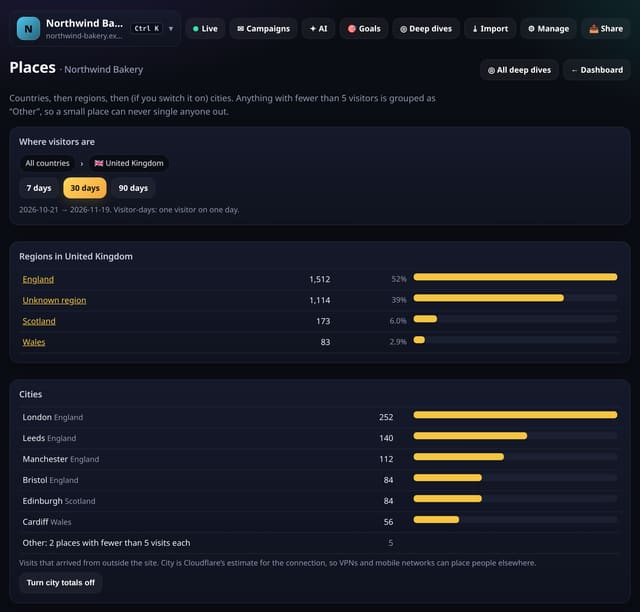
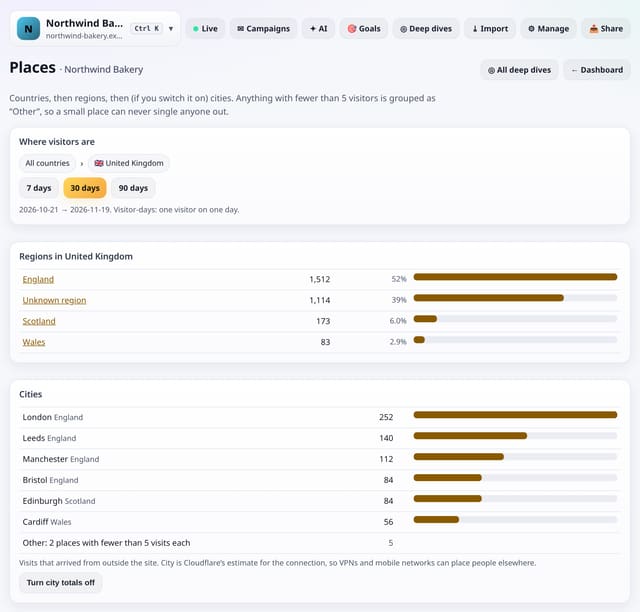
The Places screen lists countries, then the regions in the one you tap, then cities in that country or region. Countries and regions come from the pageviews you already have. Cities are optional: when you switch city totals on for a site, each visit that arrives from another site or directly adds 1 to a daily count for its city, using Cloudflare’s city for the connection. The city is never stored with the pageview or a visitor ID, and any country, region or city with fewer than 5 in the dates you pick is folded into one “Other” line.
Why it matters
Knowing that 30% of your visitors are in Leeds is useful for a local business. Knowing that one visitor came from a village of 200 people is not, and it is the kind of detail that can point to a person. Suppression keeps the first and hides the second.
How it works
- Open Deep dives and choose Places.
- Tap a country for its regions, and a region for its cities.
- To count cities, tap Turn city totals on. Counting starts from that moment; tap again to turn it off.
Privacy: what is and isn’t collected
Collected
- Countries and regions: from the pageview rows, as before
- Cities (only if you switch them on): a daily count per city of visits that arrive from outside the site
Never collected
- City on the pageview or with any visitor ID
- Postcode, street or precise location
- IP addresses
- Cookies, localStorage or anything else stored on the visitor’s device
- IP addresses or user agents (used in memory, then discarded)
- Anything that links a visitor across days (the visitor ID resets daily)
Rows and limits
- City totals are off by default and start counting only when you switch them on
- Cities come from Cloudflare’s estimate for the connection; VPNs and mobile networks can place people elsewhere. Not counted through an own-domain proxy
- Anything under 5 in the chosen dates is grouped as Other
- D1: city totals write 1 row per arriving visit, only on sites that switched them on; the screen reads on open, cached for 10 minutes
“Rows” are database rows written, which is what our hosting is billed on. Reads are not rows written. Methodology →
Questions
Is city tracking still cookie-free?
Yes. Nothing is stored on the visitor’s device. The city is used once to add 1 to a daily count and is never kept with the pageview.
Why do some places show as Other?
Any place with fewer than 5 visitors (or visits, for cities) in the dates you pick is grouped, so a small place can never point to one person.
Do I need to update my privacy notice?
If you switch city totals on, say that you count visits per city in aggregate. This is not legal advice.
Related features
See your trafficCompare two segments side by side
See your trafficPrivacy proof page and badge for your site
Privacy and performanceMetrics handbook
See your trafficGlossary and dashboard tooltips
See your trafficCustom dashboards: your cards, your order, several per site
See your trafficGrowth rate: moving averages and month-by-month growth
See your trafficSite health: uptime, speed and Core Web Vitals in one card
See your traffic
All see your traffic features → · All features → · Docs: Places guide → · Compare features with other tools →
Guides on this topic
Set it up
Nothing to set up: it works with the standard one-line script.
<script data-host="https://quietstats.co.uk" data-dnt="true" src="https://quietstats.co.uk/js/script.js" id="YOUR_SITE_ID" async defer></script>Try it on your own site
Free during launch: one site and 5,000 pageviews a month, no card needed. After launch, paid plans start at £5 a month.