How to use compare two segments
Put two groups of visitors next to each other, such as mobile visitors from Google against desktop visitors, or people sent by ChatGPT against everyone else, and see how they differ.
What it does
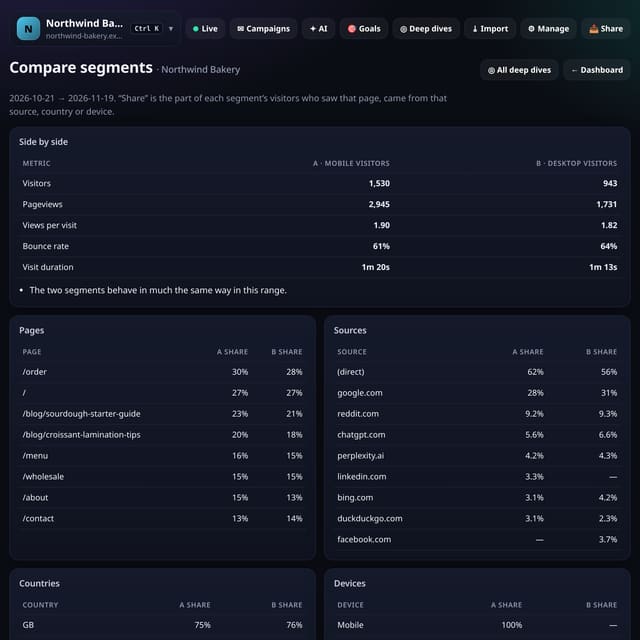
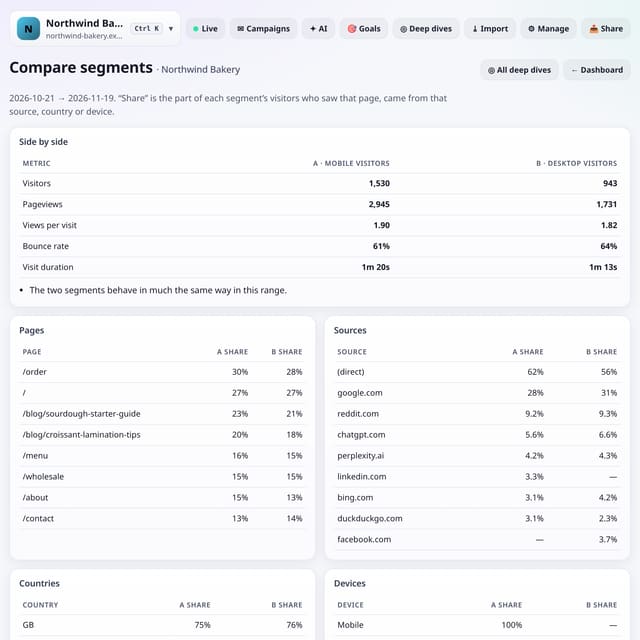
Pick two saved segments, or type any combination of filters for each one (device, source, country, region, page, browser, OS, UTM tags, search term and language, joined with ;). quietstats shows visitors, pageviews, views per visit, bounce rate and visit duration for both, the share of each segment that saw each top page, came from each source, country and device, and a few plain-English lines on the differences that matter.
Why it matters
An average hides the groups inside it. Comparing two segments shows which visitors read more, leave sooner or land somewhere else, so you know where to put your effort.
How to use it
- Tap ◎ Deep dives, then Compare segments. Or tap ⇆ Compare two in the Saved row above your totals.
- Pick segment A and segment B. To combine filters, type them joined with ; such as device==Mobile;country==GB.
- Tap Compare. Switch between 7, 30 and 90 days with the buttons under the form.
- Read the plain-English notes first, then the pages, sources, countries and devices shares.
How it works
- Open Deep dives and choose Compare segments, or tap ⇆ Compare two in the dashboard’s Saved row.
- Choose segment A and segment B from your saved segments, or type a combination such as device==Mobile;country==GB.
- Read the side-by-side totals and the plain-English notes, then the pages, sources, countries and devices tables.
Privacy
- Collected: Nothing new: it uses the pageviews you already collect
- Not collected: Anything about a single visitor
- Not collected: Your filters (only saved segments you choose to save are stored)
- No cookies, and nothing stored on the visitor’s device.
- Reports show totals only: never a visitor list, IP address or single visit.
Limits
- Up to 92 days per comparison
- Notes are only written when both segments have at least 20 visitors
- Imported history is not included
- D1: each comparison reads the range once per segment; results are cached for 10 minutes
Plans
Every plan, including Free. quietstats is free during launch: the Free plan covers 1 site and 5,000 pageviews a month, and no card is needed. See pricing.
Questions
How do I combine filters?
Join them with ; and every one must match, for example device==Mobile;referrer~=google. Use | for “or” inside one filter, such as country==GB|IE.
Can I save a combination?
Yes. Build it with + Filter on the dashboard and tap ★ Save segment. It then appears in both pickers.
Is one segment allowed to be everyone?
Yes. Leave a picker on All visitors to compare a segment with your whole audience.
Related
Feature page: Compare two segments side by side → What it is, why it matters, privacy and how other tools do it.